
OmniFlow
Custom-order tracking for boutiques, bakers, and repair studios. Owners and staff follow every order through your own stages, and keep customers updated on WhatsApp.
Overview
Built Around How a Workshop Runs
Made-to-order work doesn't fit a shopping cart. Every job has its own details, moves through steps your workshop decides, and leaves a customer wondering when it will be ready.
Features
Everything an Order Needs
From taking the order to telling the customer it's ready.
Your Own Workflows
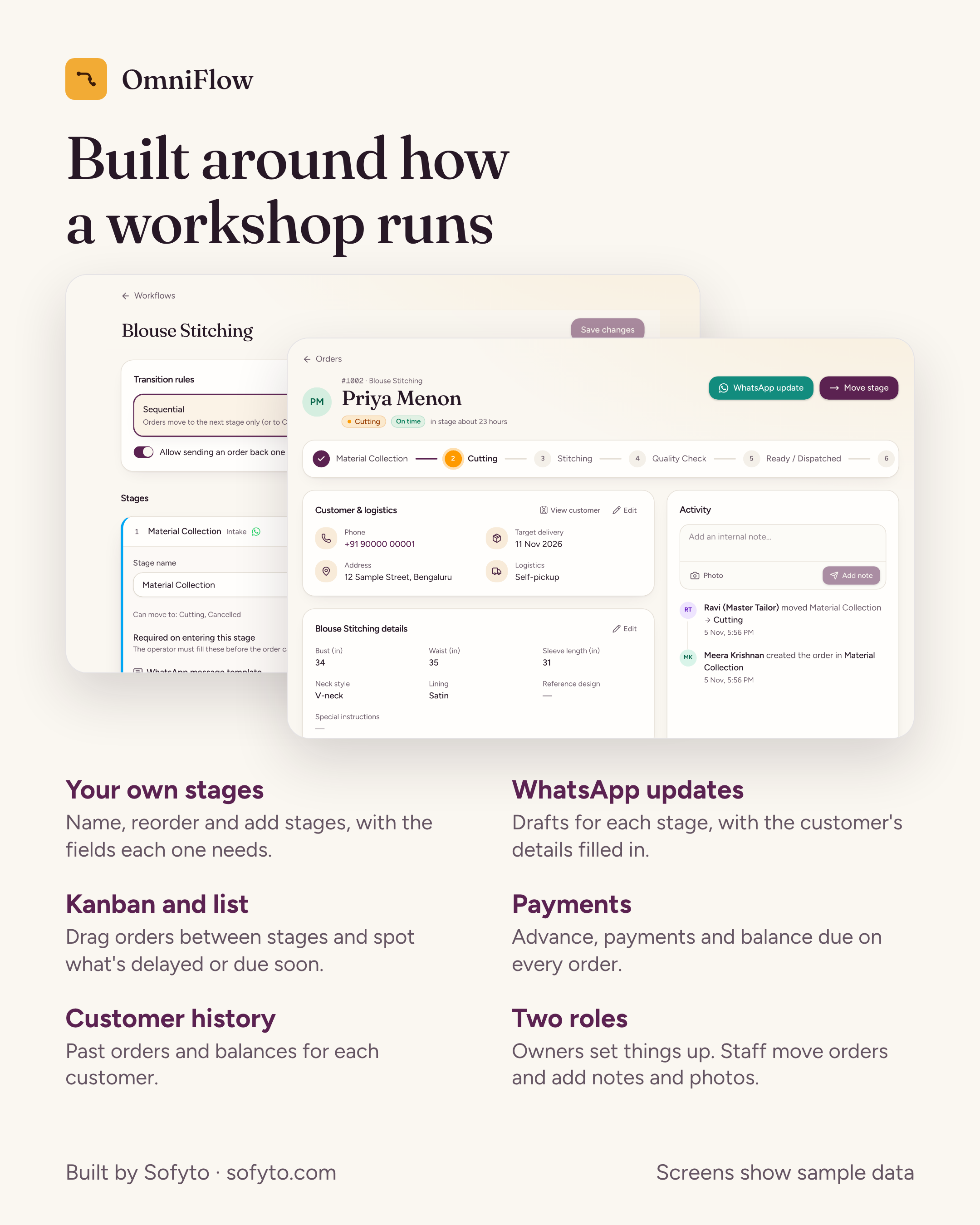
Name, reorder, and add the stages your work moves through. Boutiques start from ready-made workflows for blouse stitching, bridal lehengas, and alterations.
Order Details
Add the fields each job needs, such as measurements or a reference photo, using text, number, dropdown, date, image, and checkbox fields.
Board and List Views
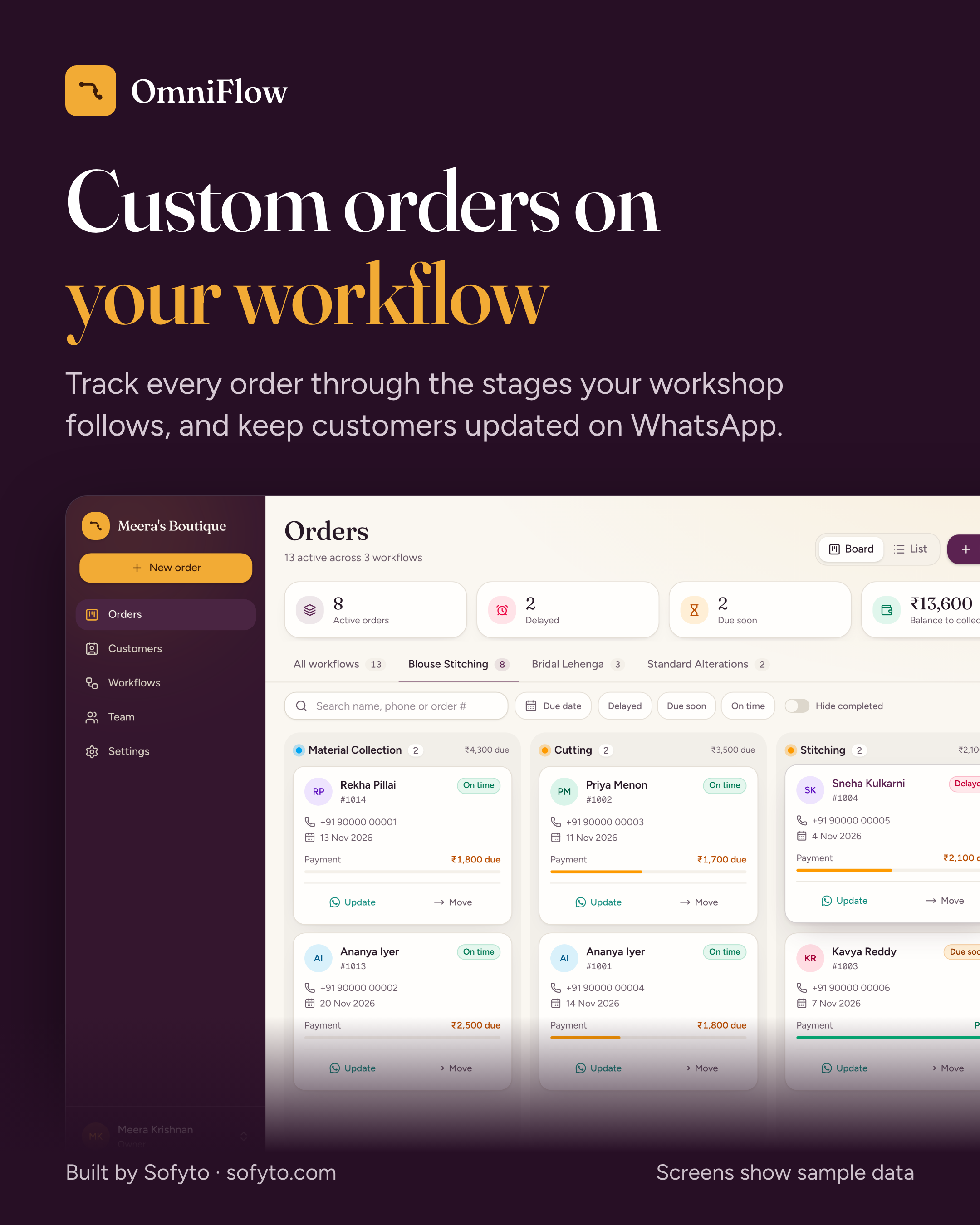
Drag orders between stages on a Kanban board or switch to a list, and search by name, phone, or order number.
Delivery Status
Every order shows as on time, due soon, or delayed against its target date, with filters to pull up the ones that need attention.
WhatsApp Updates
Each stage has its own message template with the customer's details filled in. Copy the draft or open it in WhatsApp, with no WhatsApp API bill.
Payments
Record the estimate, advance, and later payments on each order, and see the balance to collect across the board.
Customer Records
Search customers and see each one's order history and balance due in one place.
Notes and Photos
Add internal notes and photos to an order, shown on a timeline alongside its stage moves.
Your Currency
Choose INR, AUD, USD, AED, or GBP, with money amounts formatted to match.
Roles
Simple Roles for a Small Team
Two roles, and staff join through a single-use invite link that expires after 14 days.
Owner
Manages workflows, the team, settings, and orders.
Staff
Moves orders through their stages and adds notes and photos, under their own name.
Order Rules
Built So Your Process Gets Followed
The stages you set up are rules, not suggestions, and you can always see how an order got to where it is.
Moves are checked by the server
Choose per workflow whether orders follow stages in sequence or can jump. A sequential workflow rejects skipping ahead, whatever the browser sends.
Required details come first
A stage can ask for details, such as a tracking number, and an order can't enter that stage without them.
Every move is recorded
Each stage move and note goes on the order's timeline with who made it and when.
History stays readable
The timeline keeps names as they were, even after a stage is renamed or someone leaves the team.
Running a made-to-order business?
Tell us how you track orders today and what your current tools get wrong. We'd like to hear from you.